BalanceMaster, Inc.

Dynamic Balancing Systems

Dynamic balancing software - A high-end system that has it all

Home Product
overview
Gyroscope Balancing
System
Balancing
Instrumentation
Balancing software Desk-top balancing
machines
Horizontal balancing
machines
Vertical balancing
machines

Home

Gyroscope Balancer
Balancing Instrumentation
Balancing Software
Desk-top balancing machines
Horizontal balancing machines
Vertical balancing
machines

Balancing explained

Software updates


BalanceMaster, Inc.
2246 Toll Gate Road
Concord, VA 24538
USA

434-258-5078 (Phone)
434-473-6763 (Fax)

Sales@Balancemaster.com


 send Email

Windows-based high-end dynamic balancing software for Windows 7, Vista, XP (32-bit and 64-bit)

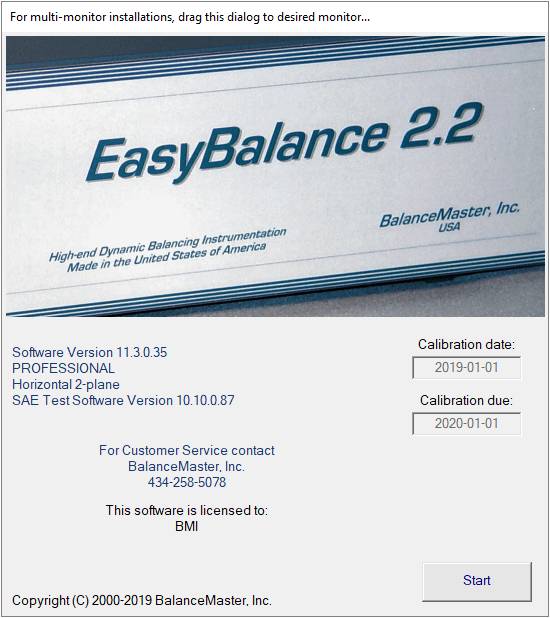
The EasyBalance 2.2 high-end dynamic balancing software is designed with the operator in mind.

  • Rotor setup and unbalance measurement is as easy as “point-and-click”. Because this software runs under WINDOWS™, the learning curve is very short, and the full potential of available features is easily accessible.
  • All 9 possible rotor configurations are available in a graphical point-and-click environment. 
  • Print reports and balancing diaries are automated and available with a click of the mouse. These reports can easily be customized to suit the specific needs of your balancing tasks. The generated file format is compatible with MS Excel and WORD.
  • Rotor setup capacity for 1 million individual rotor setups. Influence Coefficients are saved with rotor setup data. Repeat balancing of any rotor allows one-run readout in soft-bearing machines.

  • This high-end dynamic balancing software is also available as EasyBalance WIZARD STAND-ALONE version for manual data entry of vibration and phase. Load it to your laptop and perform even the most complex dynamic balancing math with ease and confidence. For Windows 7, Vista, XP (32-bit and 64-bit)


Setup
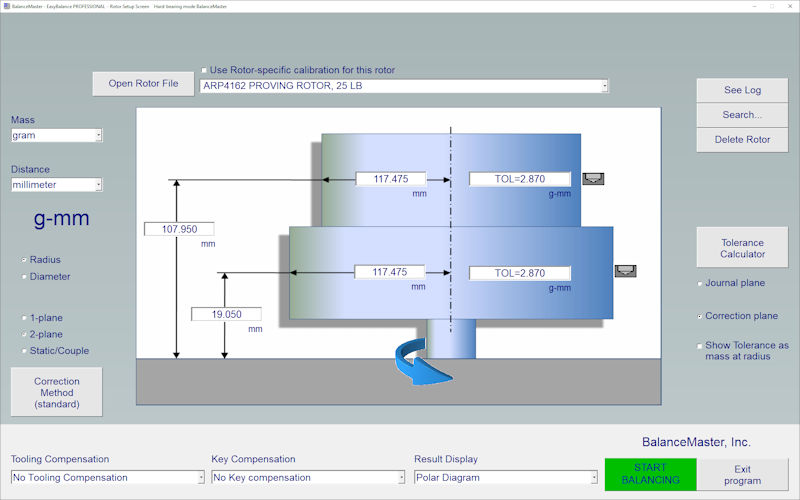
  • The main screen provides an intuitive way of entering the required rotor data (setup information). 
  • The operator can chose from several pre-programmed rotor configurations by just clicking one of the rotor icons.

  Rotor geometry
  • Rotor setup dimensions are entered directly on-screen.
Units of measure
  • Units of measure can be selected or changed with a simple mouse-click.
  • Units are automatically converted from mm to inch, from ounce to gram, from gram-mm to ounce-inch, or any combination, no guesswork.
  Permissible unbalance
  • API 610 (4W/n)
  • API 617 (10%)
  • MIL-STD-167-1
  • ISO G0.1 to G4000
  • Tolerance Calculator uses the exact rotor setup data to calculate the required balancing tolerances, with the click of the mouse. Balancing to the exact requirements is never a guesswork.
  • Custom-ISO allows user-defined ISO balancing quality grade
Keyway Compensation Program
  • Keyway compensation program according to ISO 8821 is built-in and comes standard.

Tooling Compensation

  • Tooling compensation (double-indexing) eliminates unbalance caused by tooling errors (arbors and mandrels)

 
July 2010

Copyright © 2000-2010 BalanceMaster Inc.

All rights reserved